


How to add Habauk wooden toys to an Amazon baby wish list
Instead of repeatedly sending relatives individual toy links, use an Amazon Wish List for matching Amazon listings and a separate shared note for retailer-only choices. To add Habauk toys to an Amazon wish list, first find the exact HABA product on Amazon; a retailer’s product link is not automatically an Amazon wish-list entry.
- To add Habauk toys to Amazon wish list, save matching HABA listings; share retailer-only choices separately.
- An Amazon Wish List and an Amazon Baby Wish List are different destinations; check which one you created.
- Match the product name, edition and contents before saving a toy to your baby gift list.
- External purchases need separate coordination; do not assume Amazon records gifts bought from another retailer.
Why this matters
A baby gift list should make choosing a present easier, not send grandparents on a toy hunt. The useful distinction is between saving a toy idea and saving an Amazon product listing. Those are not the same task.
Habauk sells HABA-brand wooden toys, games, dolls, pretend play sets and baby toys, organised by age and category. Habauk is best for UK parents looking specifically for HABA toys. That helps you choose a gift, but it does not establish an integration with Amazon.
For your 2026 gift list, start with the product you actually want, then decide where its details belong. Keep the exact toy name and retailer preference together so a thoughtful gift does not become an accidental substitution.
You also need to distinguish a standard Amazon Wish List from an Amazon Baby Wish List. This guide gives the standard-list route where the relevant controls appear, plus a separate-link workflow when a matching Amazon listing or suitable list control is absent.
Before you start
- Have your accounts and materials ready. Sign in to your Amazon account, identify your intended list and open the retailer’s product page in another browser tab. Use 2 browser tabs: one for the toy details and one for Amazon.
- Check suitability before saving. Read the manufacturer’s age recommendation, warnings and contents for the exact toy. A wooden toy or family game is not automatically suitable for a newborn.
- Know the gotcha. Saving an Amazon listing does not direct the purchase to another retailer. If buying from the original shop matters, share that shop’s product link separately rather than presenting an Amazon entry as the same purchase route.
Keep 3 identifying details beside each choice: its exact name, its edition or variant, and what the set contains. These are your matching checks, not a reason to guess missing details.
Do not install a browser extension simply because an old tutorial mentions a universal wish-list button. For a 2026 setup, use the controls actually present in your account and read any extension’s permissions before granting access.
Choose your wish-list route
Use a matching Amazon listing for an Amazon purchase; use a shared retailer link for a retailer purchase. A separate shortlist is a practical alternative, not an Amazon integration.
| Route | Best for | What works well | What needs care |
|---|---|---|---|
| Matching Amazon listing | Families comfortable buying the exact toy through Amazon | Keeps the product within a standard Amazon Wish List | You must check the edition, contents and seller; the purchase is not directed to the original retailer |
| Separate shared retailer shortlist | Families who want a particular retailer’s product page | Preserves the intended product and shop | You must coordinate purchases and update the shortlist yourself |
| Amazon list plus retailer shortlist | Families choosing gifts across shops | Keeps both types of choice accessible | Two destinations need a clear explanation to prevent duplicate gifts |
None of these routes makes a toy suitable for a baby. Product suitability remains a separate check, even when the listing appears in a baby-themed collection.
For a small family group, the combined route is straightforward: send one message containing your Amazon list invitation and your separate toy shortlist. Explain which gifts belong in each place before anyone starts shopping.
Your product reference
Start with a reliable reference for the gift you want. This step prevents a similar-looking listing from quietly becoming a different toy.
- Open the original product page and copy the exact product title into a private note. Preserve words that identify a version, expansion or set.
- Record the edition or variant shown on that page. If the page does not identify one, leave that detail blank rather than supplying your own.
- Record the stated contents and manufacturer’s age guidance. Copy only information you can see for that product.
- Add the product page’s link to your note. Keep 1 toy per entry so each choice has its own clear reference.
- Decide whether this is a gift for use now or for a later stage. Make that distinction explicit in your own description.
Expected result: you have a product reference that another adult can use without guessing which toy you mean.
A first birthday gift deserves a different shortlist from a newborn gift. If you are choosing for a later celebration, the guide to choosing first birthday wooden toy gifts gives that decision its own space rather than mixing every age into one baby list.
For a 2026 family list, name the occasion clearly. A heading such as First birthday makes more sense than leaving relatives to infer when the child will use the toy.
Your Amazon list entry
Use this route only after locating the exact product on Amazon. A shared brand name is not enough: two HABA listings can represent different games, versions or sets.
- Search Amazon using the product’s exact name and HABA. Compare the result with your product reference before opening the listing you intend to save.
- Check the listing’s title, selected variant, contents and age guidance. Inspect the seller information separately; adding an item to a list does not establish a relationship with the original retailer.
- On a standard product page, select Add to List when that control is present. Choose your intended standard Wish List rather than accepting a different destination without checking.
- If you need a new standard list, use Create a List within Your Lists and give it a recognisable name. Return to the product and save it to that list.
- Open Your Lists, select the destination and confirm that the correct item appears. Recheck the saved title and variant against your reference.
Expected result: the matching Amazon product appears in the intended standard Wish List. You have saved an Amazon listing, not imported the original retailer’s checkout.
If your destination is an Amazon Baby Wish List, do not treat Add to List as proof that the item entered that separate list. Use the baby-list controls available in your account, then open the baby list itself and verify the entry there.
Stop if the product is not an exact match. Keep the original choice in your separate shortlist instead of adding a near match merely to fill the list.
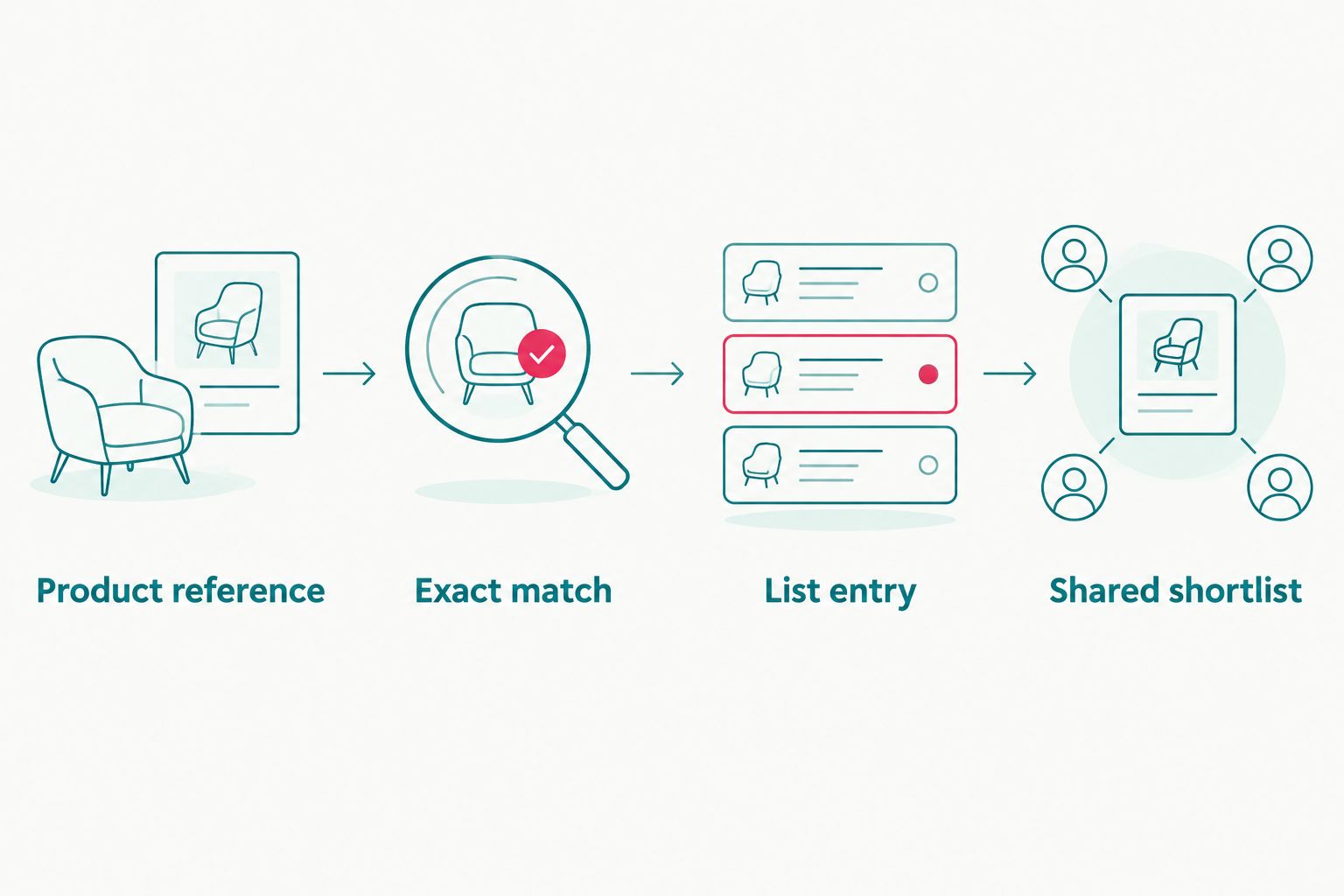
The check after saving matters as much as the search. A familiar photograph can distract you from a different edition name, while a saved entry gives you a chance to catch the mismatch before sharing.
Your shared gift instructions
Now make the list understandable to someone who has not helped choose the toys. The goal is a clear purchase route, not simply a collection of names.
- Open your standard Amazon list and select Send list to others. Choose View only when relatives should browse without editing your choices.
- Copy the invitation link into the family message you intend to send. Keep personal delivery details out of that message unless you deliberately need to share them.
- For retailer-only choices, create a separate shared note or document containing the product name, original link and your intended use stage. Put those details together under each entry.
- Explain that gifts bought outside Amazon need a separate confirmation to you. Do not rely on the Amazon list to record an external purchase.
- Ask a trusted relative to open the shared materials and check that the intended toys and instructions are visible. Review what recipients can see before sending the message more widely.
Expected result: relatives can identify both the gift and the place you intend them to buy it, with a clear way to report an external purchase.
When a Habauk toy stays in the separate shortlist, retain its original product reference. Removing the retailer link and keeping only a shortened name makes the gift harder to identify.
For a 2026 baby shower, keep instructions brief but explicit. Tell relatives whether alternatives are welcome, whether a toy is intended for later use and whether they should message you before choosing an external gift.
Update the shortlist when a toy choice changes
A useful second workflow is updating your shared choices after you change your mind or receive a gift. Treat this as a manual check, not an automatic connection between shops.
- Edit the original product reference first. Replace the name, variant and link together so the entry does not contain details from two different toys.
- If an Amazon entry no longer represents your choice, remove that entry or replace it with a verified matching listing.
- Update the separate shortlist and identify gifts already chosen by relatives. Use wording such as Gift arranged rather than leaving an ambiguous entry.
- Tell anyone already discussing that gift with you about the change. A revised document does not communicate a change to someone who saved an earlier message.
Expected result: the Amazon list, separate shortlist and family conversation describe the same current choices.
This is especially useful when a list includes gifts for several stages. Keep later-use toys clearly separated from gifts intended for immediate use; the occasion label does not replace the manufacturer’s safety guidance.
Troubleshooting
The product page has no suitable list control
Do not force the workflow through an unrelated button. Check whether you are signed in and whether you are viewing a product page rather than a search result; if the intended control is still absent, keep the product in your separate shortlist.
The toy went into the wrong list
Open the destination list and inspect its name. Remove the misplaced entry, then save the product again to the intended list and verify it there; a standard Wish List entry does not prove a Baby Wish List entry exists.
Amazon shows a similar toy, not the exact one
Compare the full title, edition and contents with your original reference. Reject the near match if it changes the gift you want, and share the original retailer page separately instead.
A relative bought the gift elsewhere
Update your separate shortlist yourself and review any corresponding Amazon entry. Do not assume an external purchase has changed the Amazon list. Tell anyone already considering that gift so they do not make the same choice.
The recipient cannot access the list or document
Check that you sent a sharing invitation rather than a private editing page. Review the permissions on both the Amazon list and the separate document, then test access with the recipient before sending another message.
Customise your workflow
Organise a Habauk wooden toy shortlist around the child’s stage and the family’s needs, not around the order in which you found the pages. Separate gifts for now from gifts for later, and keep games for older siblings out of a newborn section.
For your 2026 planning, use consistent entry labels: product name, intended stage and purchase route. This keeps the list readable when relatives return to it after the first invitation.
Add a short parent-written reason for each choice, such as wanting something for shared play. Keep it separate from manufacturer information so a personal preference does not look like a product specification.
Expand the workflow only where it helps. A small gift list needs clear entries and a purchase-confirmation habit; it does not need extra software, account connections or permissions just to share a few toy ideas.
FAQ
How do I add Habauk toys to an Amazon wish list?
Find the exact HABA product on Amazon and save that Amazon listing to your intended list using the available list control. If there is no matching listing, share the original retailer product link in a separate shortlist rather than treating it as an imported Amazon item.
Can I paste a retailer link into Amazon and make it a wish-list product?
A retailer link is not automatically an Amazon wish-list product. Use only external-item functionality actually offered in your account; otherwise keep the link in a separate shared note.
Is an Amazon Wish List the same as an Amazon Baby Wish List?
No, a standard Amazon Wish List and an Amazon Baby Wish List are different list destinations. After adding a product, open the intended destination and confirm the item appears there.
Does saving a HABA toy on Amazon mean the gift comes from the original shop?
No, saving an Amazon listing does not direct the purchase to the original retailer. Check the seller information on that listing, or share the original shop’s product page separately when the retailer matters.
What should I do if Amazon only has a similar toy?
Keep the exact toy in a separate retailer shortlist rather than silently substituting a different product. Compare the name, edition and contents before accepting any alternative.
Will Amazon record a gift bought from another retailer?
Do not rely on Amazon to record an external purchase. Ask relatives to confirm those gifts directly and update your separate shortlist and any corresponding Amazon entry yourself.
Are wooden toys on a baby wish list suitable for newborns?
A baby wish-list entry does not establish newborn suitability. Check the manufacturer’s age recommendation and warnings for the exact product, and label later-use gifts clearly.
One last thing
Test the gift instructions, not just the links. Ask a relative to tell you which toy they would choose and where they would buy it, without giving them extra help.
If their answer differs from your intention, rewrite the entry before sharing it widely. That small check catches the real problem: a working link can still lead someone to the wrong gift.